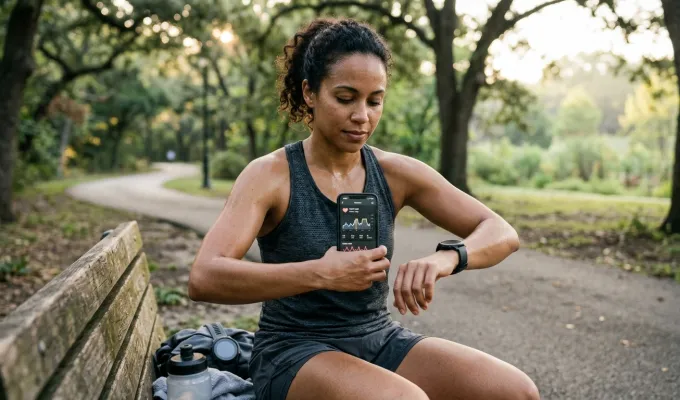
What changed in Google Health 5.09
In the September 25, 2026 Google Health version 5.09 update, Google said workouts tracked in other apps and devices can count toward Cardio Load when the source app or device tracked heart rate during the workout.
Google specifically names workouts recorded on Garmin and Apple Watch wearables as examples. This does not mean every model, companion app, workout type, or account will behave identically. The rollout was phased, and a compatible workout can contribute rather than being guaranteed to do so.
For people who switch between devices, the update makes Google Health more useful as an aggregation layer. A workout does not necessarily have to be recorded by Google’s own wearable ecosystem to appear in the same Cardio Load view.
How an imported workout can contribute
The consumer-level data path looks like this:
- A wearable or fitness app records an exercise session and heart-rate samples.
- Its companion app synchronizes that information through Health Connect on Android or Apple Health on iPhone.
- Google Health receives the workout and associated heart-rate information.
- Google Health calculates its own Cardio Load estimate from the data it receives.
The key point is that Google Health does not import Garmin’s, Apple’s, or another app’s own training-load score as Google Cardio Load. It produces a separate, algorithmically derived estimate.
Heart rate is the stated requirement
For third-party workouts, Google’s release note identifies heart-rate data tracked during the session as the condition for Cardio Load eligibility. GPS, route, distance, speed, pace, calorie, and elevation data are not listed as mandatory inputs in that announcement.
Those records can be separate data types. For example, Health Connect supports exercise sessions alongside associated records such as heart rate, distance, speed, calories, routes, cadence, and power. A workout can therefore sync successfully while still lacking usable heart-rate samples, or while those samples are not correctly associated with the exercise session. In those cases, Cardio Load may not appear or may be incomplete.
Garmin, Apple Watch, and other connected platforms
Google’s compatibility guidance says Garmin devices can connect through Health Connect or Apple Health, while Apple Watch data syncs through Apple Health. The same guidance also warns that partner apps and devices do not necessarily share every metric they record.
That matters because support is more than a device name on a compatibility page. Whether a particular workout can contribute may depend on:
- The Google Health app version and phased rollout status
- The phone operating system and source companion app
- Connection and data-sharing permissions
- Whether the source app completes its sync
- Whether heart-rate samples are present and associated with the workout
- The device model, workout type, region, and current integration behavior
Google’s general compatibility documentation contains wording that Cardio Load uses first-party data only. That appears inconsistent with the newer version 5.09 feature-specific release note, so the release note is the more relevant source for this new capability. Because support can change, check the current Google Health connection settings and help documentation before relying on a specific device or app workflow.
Why the same workout may look different in each app
An imported activity may have different labels, summaries, maps, or values in Google Health than it has in the source app. Platforms may receive different records, omit certain shared metrics, or calculate derived metrics from different available information. Google explicitly notes that displayed values can differ because apps calculate from different data.
That does not automatically indicate that either platform is wrong. It means the information displayed is shaped by what was recorded, shared, and calculated in that system.
What Cardio Load actually estimates
Google describes Cardio Load as a personalized score for how hard the heart works during physical activity. It is intended to estimate cardiovascular training strain, or cardiovascular work, from factors including duration, intensity, and heart rate.
Google’s documentation says the score uses a TRIMP-based approach and factors such as age, resting heart rate, and sex. Its research describes Cardio Load as a modified TRIMP metric using continuous heart-rate and movement data to estimate cardiovascular work and minute-level intensity.
Measured signals versus calculated estimates
It is useful to separate the data a wearable senses from the conclusions an app calculates.
Directly recorded or synchronized data can include:
- Heart-rate samples
- Exercise-session timing and duration
- Location or route
- Distance and speed
- Calories, cadence, or power when the source app shares them
Algorithmically derived outputs can include:
- Cardio Load
- Target load
- Training-status labels
- Recovery-oriented guidance
Heart-rate samples are inputs. Cardio Load is an interpretation of those inputs, not a raw sensor measurement.
What Cardio Load does not tell you
Cardio Load should not be treated as a direct measurement of recovery, cardiovascular fitness, overtraining, injury risk, or safe exercise capacity. It is also not a complete estimate of muscular, orthopedic, metabolic, or psychological stress.
The estimate can be affected by heart-rate signal quality, device placement, physiology, medication, activity type, and missing data. Use it as one training context signal, rather than a diagnosis or a stand-alone decision tool. Google separately advises users to listen to their bodies and consult professionals when they have health or training concerns.
Why wearable workout synchronization matters
This change reflects a broader move away from keeping health and training data inside isolated wearable ecosystems. Google says its Health app is designed to connect information from wearables, Health Connect, Apple Health, medical records, and hundreds of apps or devices, recognizing that people may prefer different devices for different kinds of tracking.
For consumers, that can mean more continuity. Someone may prefer one device for training, another for smartwatch features, or a specialized app for certain workouts, while still aiming to see a more complete activity history in a central dashboard.
Interoperability has limits. It does not mean all platforms exchange all records, all imported sessions are equivalent, or every device produces the same Cardio Load result. Still, allowing heart-rate-equipped workouts from connected platforms to contribute is a meaningful step toward reducing data silos.
How to check whether your workouts are contributing
- Update Google Health and confirm that version 5.09 or a later version is available to your account.
- In the source wearable’s companion app, confirm that the workout has synchronized and includes heart-rate data.
- Review the relevant Health Connect or Apple Health sharing permissions.
- Open the synchronized workout in Google Health and look for its Cardio Load contribution.
- If it does not appear, check the current Google Health device and app connection guidance, because integrations and supported records can change.
A visible workout alone is not proof that it is eligible. The imported session needs the heart-rate information Google identifies as necessary for third-party workouts to count.
Bottom line
Google Health 5.09 expands Cardio Load beyond workouts captured within a single wearable ecosystem. Eligible sessions from Garmin, Apple Watch, and other connected apps or devices can contribute when synchronized with heart-rate data.
The most useful expectation is not that every workout will transfer perfectly. It is that, when the required data and permissions are in place, Google Health can calculate one consistent Cardio Load estimate from workouts recorded across more of the devices and platforms you use.